A SmartMonitorX28 replacement for AIO cooler LCD screens
Drive the 2.1″ round 480 × 480 screen on your liquid cooler without the vendor software. It starts with Windows without turning UAC off, and it actually turns the screen off when you shut the PC down.
Windows 10 / 11 · needs the .NET 8 Desktop Runtime · unofficial project, not affiliated with SuperFrame or any cooler manufacturer.
480 × 480 · 1 Mbaud · CH340
the panel, as AIOScreen draws it
Six reasons people go looking for something else
Not on the list? Open an issue with your cooler model.
Why your cooler screen stays lit all night
The motherboard keeps +5 V standby power on the USB header, so the panel stays powered and keeps showing the last theme it received. No setting in the vendor UI turns it off, because there is no off command in the protocol at all.
What exists is a backlight idle timer packed into three spare bits of the telemetry packet — and it only fires once the host stops talking. SmartMonitorX28 never stops talking.
AIOScreen sets that timer to its minimum and goes quiet, on quit and on Windows shutdown. The byte is documented in docs/protocol.md, including the trap that the order of the last two packets decides whether it works at all.
SmartMonitorX28
RunningGlowing on standby power until you pull the plug.
AIOScreen
RunningThe timer fires the moment the host goes quiet.
Your old themes come with it
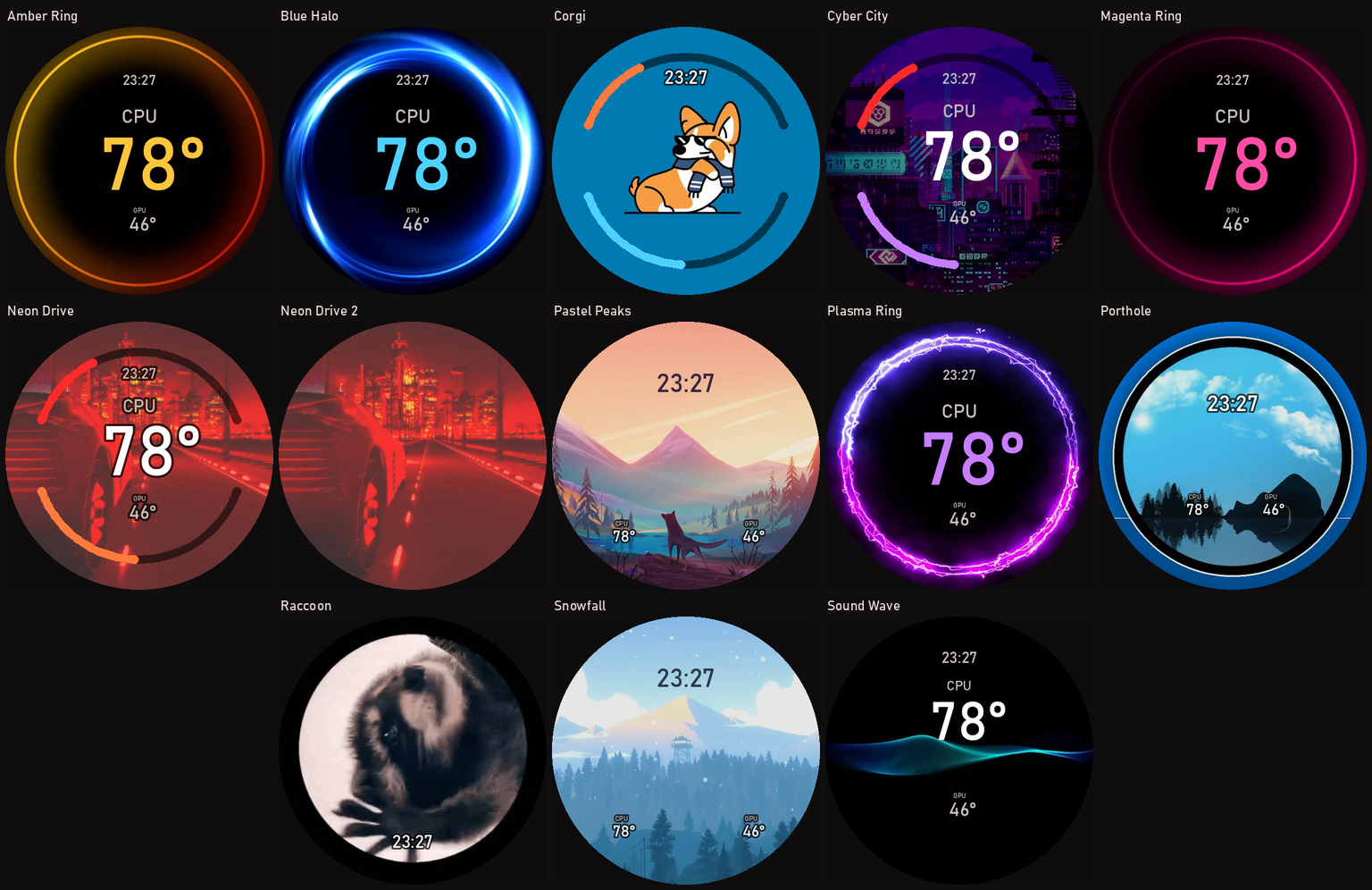
Installed on first run — no import step, nothing to download. Every one is a normal theme: open it in the editor and move, recolour or delete anything.
Most of the artwork is SmartMonitorX28's own theme pack, so switching does not mean losing the screen you already had. The layouts are not: each was rebuilt around its own image instead of dropping the same gauge cluster on everything.
- Ring artwork gets no arcs — the art is the gauge, and the empty middle takes the number
- Artwork with a subject keeps its middle clear
- Landscapes read the clock in dark ink against the sky, and are not dimmed
- Already imported them from SmartMonitorX28? Matched by name, so never installed twice
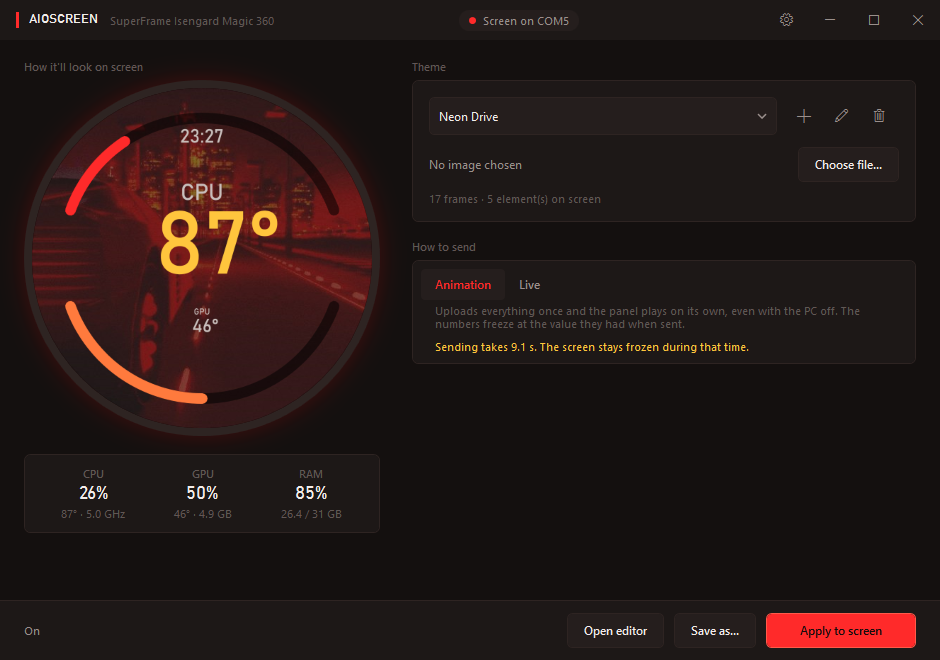
What you see is what gets sent
The preview runs the same renderer as the panel, at the same 480 × 480, updating every second. Not an approximation — the same code.
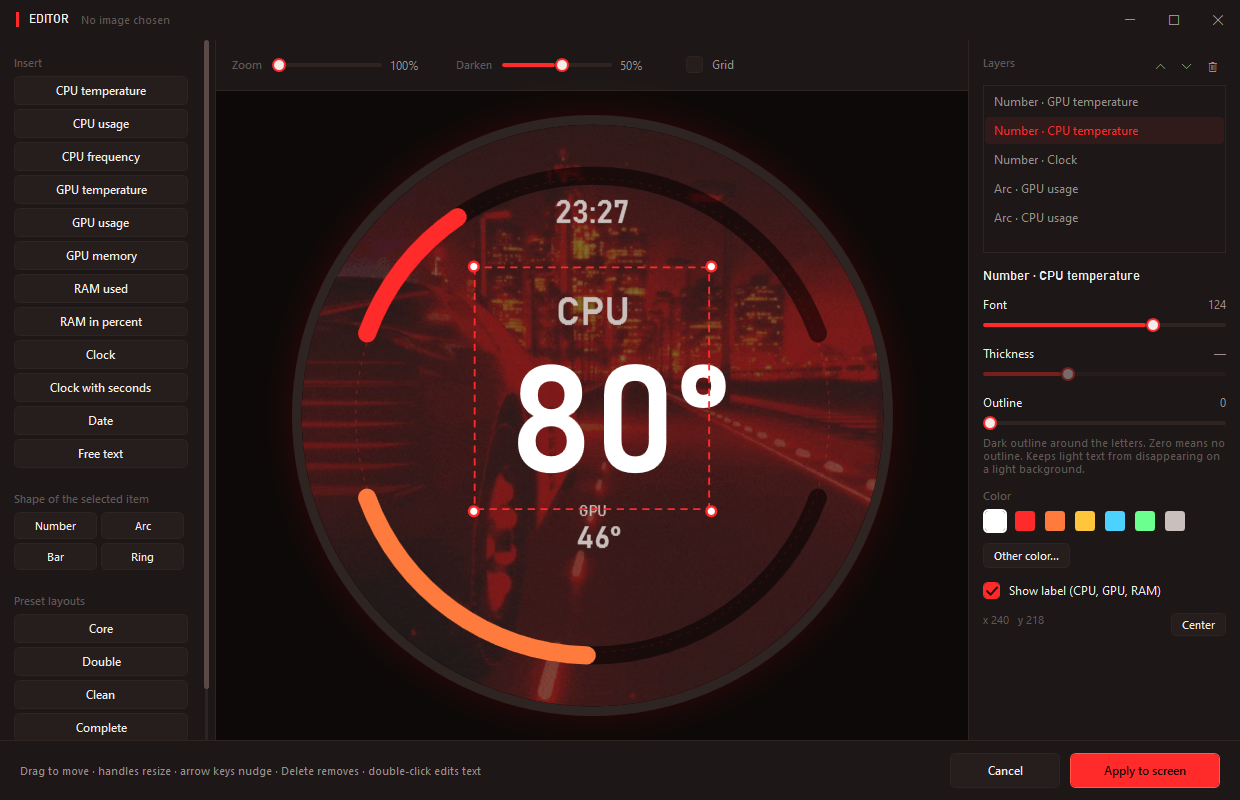
- Any image, GIF or video. Video goes through ffmpeg; images and GIFs need nothing extra
- Insert CPU/GPU temperature, load, clock speed, memory, RAM, a clock, a date or free text
- Four shapes per element: number, arc, bar and ring
- 24 languages, switchable while the app is running
- Lives in the tray at 21 MB of RAM and 0% CPU
Will it work with my cooler?
Screen size and resolution do not decide this — the controller does. Several vendors ship 2.1″ 480 × 480 panels with completely different firmware. The reliable marker is the USB hardware ID:
Get-CimInstance Win32_PnPEntity -Filter "PNPClass='Ports'" |
  Where-Object DeviceID -like '*VID_1A86&PID_8040*' |
  Select-Object Name, DeviceID
If that returns something, there is a good chance AIOScreen works. Another strong sign: your cooler's software is called SmartMonitor — a Qt app talking over a CH340 serial port at 1 Mbaud.
| Status | Model |
|---|---|
| Tested | SuperFrame Isengard Magic 360 — the protocol was captured on this unit |
| Likely | Isengard Magic 240, Isengard Smart (SF-W360B-S and siblings) — same vendor software |
| Maybe | Rebadged 2.1″ 480 × 480 upgrade kits, if they expose VID_1A86&PID_8040 |
| No | Corsair, NZXT, Lian Li, Thermaltake, Thermalright, ID-COOLING — closed ecosystems |
| No | Waveshare 2.1″ panels — different protocol, documented by their own vendor |
Got one working, or one that failed? Say so — that is how this stops being guesswork.
The protocol, written down
As far as I could find, nothing about this panel was publicly documented before this project. docs/protocol.md covers the wiring, baud rate, framing, CRC-16/MODBUS, both telemetry opcodes and the theme container format — enough to write a client in any language, Linux included.
One piece is still undeciphered: the firmware's own widget block. AIOScreen works around it by drawing everything into the JPEG itself. Contributions welcome.
| What | Value |
|---|---|
| Transport | CH340 USB serial, VID_1A86&PID_8040 |
| Baud rate | 1 Mbaud — about 100 KB/s in practice |
| Checksum | CRC-16/MODBUS, big-endian |
| Telemetry | 0x66, 77 bytes — carries the backlight timer |
| Keepalive | 0x6E, 5 bytes |
| Theme | 4096 B metadata + JPEG frames, each with a 32-bit big-endian length |
| Theme ceiling | about 4 MB — past it, the firmware rejects in silence |
Troubleshooting
Why does my cooler screen stay on after I shut down the PC?
USB standby power keeps the panel alive, and the protocol has no off command. What it has is a backlight idle timer inside the telemetry packet, which only fires once the host stops sending. The vendor software never stops sending.
AIOScreen sets the timer and goes quiet on exit and on Windows shutdown, so the backlight actually goes out instead of showing black.
How do I make SmartMonitorX28 start with Windows?
The vendor's own read me.txt tells you to enable the built-in Administrator account and turn UAC off system-wide — tearing down a core Windows security feature so a 2-inch screen can autostart.
AIOScreen uses a scheduled task created once during setup. Task Scheduler runs it elevated at logon with no prompt, and UAC stays exactly as it was.
Why does it keep asking for administrator every launch?
Reading CPU temperature needs a kernel driver, and loading a driver needs elevation. Without it you get usage and clock speed but temperature shows --.
AIOScreen asks once, at install time, then reopens itself elevated through the scheduled task — silently.
My screen is stuck on one frame and the GIF won't animate.
The theme container concatenates JPEG frames, each preceded by its length as a 32-bit big-endian prefix, inside a 4096-byte metadata block. Drop the prefixes and the firmware reads exactly one frame and loops it forever, with no error.
Why does applying a theme take several seconds?
The bus runs at 1 Mbaud, about 100 KB/s. A 17-frame GIF is roughly 900 KB, so about 9 seconds. That is the wire, not the software.
The same limit is why a theme cannot exceed about 4 MB — past that the firmware rejects it silently.
The panel disappears from Device Manager after each upload.
Normal. It re-enumerates USB when it restarts to show the new theme. Anything that caches the port handle across that will end up writing into a dead one.
Windows says the publisher is unknown. Is that a problem?
The build is not code-signed — nobody paid for a certificate. That is not evidence of anything, and you do not have to take my word for it: the release is built by a public GitHub Actions workflow from the tagged source, with SHA-256 checksums attached.
There is no network access anywhere in the project, nothing in the registry, and nothing outside %LOCALAPPDATA%\AIOScreen — written up in what it touches.
Is it free? Can I use it at work?
Free and open source under PolyForm Noncommercial 1.0.0: use, modify and redistribute it for any noncommercial purpose. Selling it or bundling it into a paid product is not allowed.
Does it work on Linux?
Not yet — the app is WPF, so Windows only. The protocol documentation is complete enough to write a Linux client, and that is exactly why it was written down. Nobody has done it yet.
Get your screen back
Setup asks for administrator once — that is what creates the scheduled task, and it is why the app never asks again.